Custom Integrations
Integration guides for building with SumUp SDKs and APIs.
Guides in this section cover the basics of SumUp APIs, allowing you to develop a custom integration if SumUp products don’t fully support your use case.
Getting a Sandbox Merchant Account
Section titled “Getting a Sandbox Merchant Account”Create a sandbox merchant account to test APIs without real money:
- Log in to your SumUp account.
- Open Developer Settings(Opens in a new tab).
- In the Sandboxes tab, create a sandbox merchant account if you do not have one yet.
If you don’t have a sandbox account yet, sign up for a developer account(Opens in a new tab). This starts you with a sandbox merchant account.
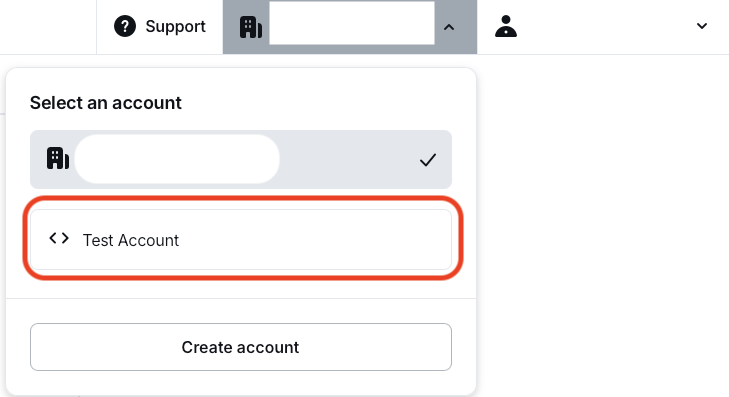
With your sandbox merchant account, begin making API calls with real data. Sandbox merchant accounts do not process transactions with real funds. The sandbox merchant account has a different ID and displays a clear warning. Requests with a value of 11 (in any currency) always fail by design, to test failed transaction scenarios.

When finished experimenting with the sandbox merchant account, switch back to a regular account for business purposes.
SumUp provides official SDKs for JavaScript, Go, Python, Java, PHP, .NET, and Rust — visit the SDKs overview page to choose the client that fits your stack.